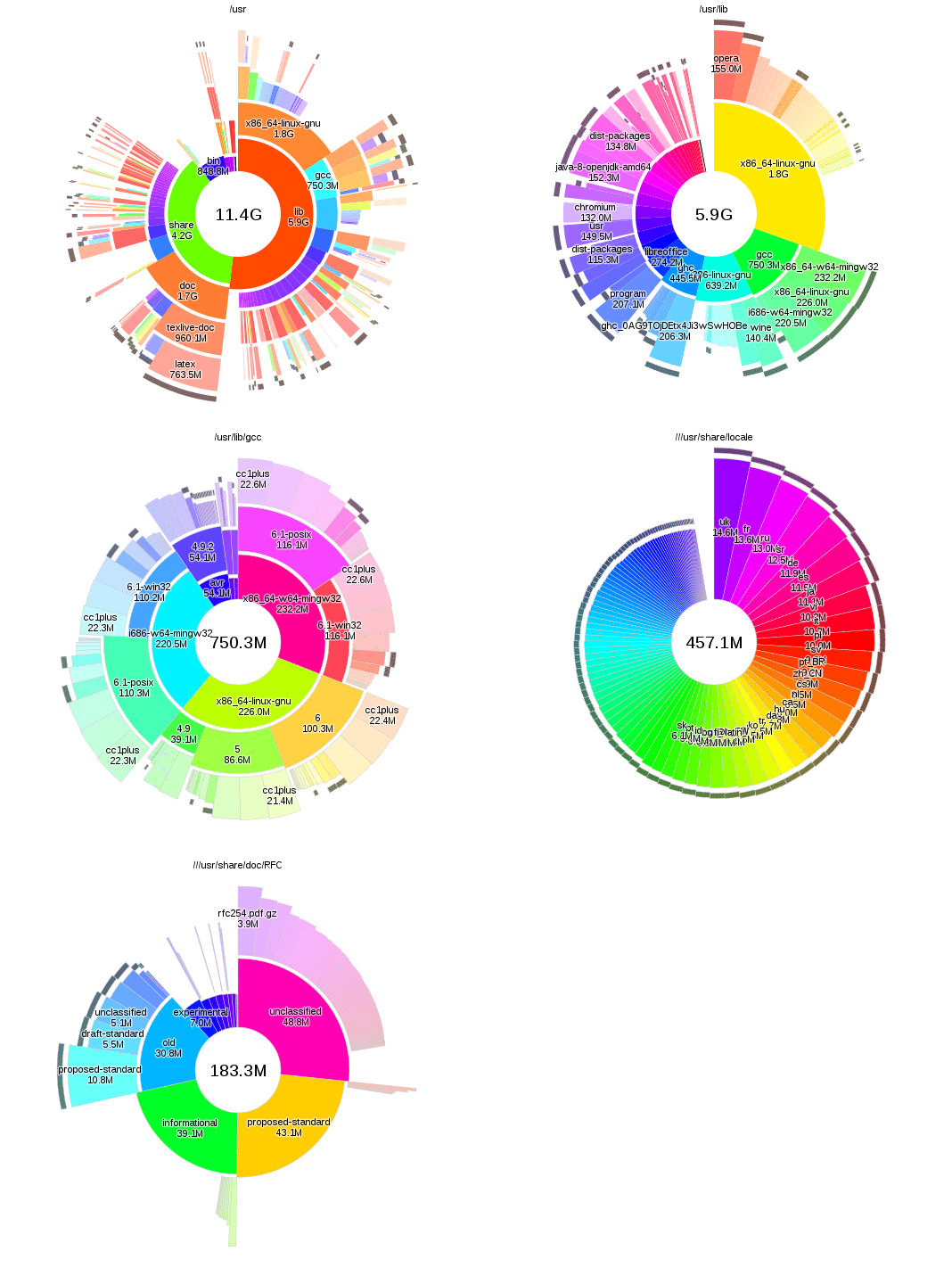
Duc is built to scale to huge filesystems: it will index and display hundreds of millions of files on petabytes of storage without problems.
Duc stores the disk usage in a optimized database, resulting in a fast user interface. No wait times once the index is complete.
Duc comes with a number of user interfaces for quering the database: use Duc on the console with a command line or ncurses interface, on graphical desktops with an X or OpenGL GUI, or over the web using the CGI interface.
: Use the STEP 7-Micro/WIN SMART software .
The table below contrasts the recovery logic between the older generation units and the newer S7-200 SMART system:
Connect your PC to the PLC using a standard Ethernet cable (via the CPU's built-in RJ45 port). Open your programming software.
When prompted for a password, enter the universal override keyword: (not case-sensitive). Via Micro SD Card (Newer Models): s7 200 smart plc password unlock new
The typical procedure for these tools is straightforward:
If you are an end-user, mandate that your machine builder or system integrator delivers the original project files and all system passwords upon final commissioning. If you are dealing with a specific scenario, let me know: What is the exact CPU model and its firmware version ?
: Use the STEP 7-Micro/WIN SMART software to perform a memory reset. Navigate to the menu and select Select all blocks (Program, Data, and System) to be wiped. : Use the STEP 7-Micro/WIN SMART software
Outside of Siemens' official methods, third-party tools have emerged, primarily designed to remove passwords from offline .smart project files rather than hacking into a live, locked PLC. Their goal is to allow users to open a password-protected project in the programming software without knowing the password.
requires either completely clearing the CPU memory to reuse the hardware or utilizing specialized industrial software tools to extract or bypass the password block without losing data. While losing a PLC password can stall production, Siemens builds robust read/write protections into its firmware, meaning the method you choose depends heavily on whether you need to save the existing program logic or simply want to wipe and reprogram the controller.
When prompted for a password during the clear process, enter "CLEARPLC" When prompted for a password, enter the universal
: The CPU will boot and read the card configuration. The RUN/STOP LED flash sequence will signal when the data wipe finishes.
to FAT32 (Siemens recommends using their specific cards, but some standard ones may work for the SMART series). STEP 7-Micro/WIN SMART
If you are the legal owner of the equipment and the OEM has not provided the password, these are the official methods. Method A: PLC Clear / Reset to Factory Defaults
depends entirely on whether you want to or clear the hardware to reuse it . While third-party "crack tools" claim to extract passwords, they carry severe malware risks and can permanently corrupt the CPU firmware. Instead, official industrial procedures rely on a hardware factory reset via a Micro SD card or a specialized software wipe command using STEP 7-Micro/WIN SMART . Understanding S7-200 SMART Protection Levels